
Setting up a proper Facebook and Instagram Business Page takes about 15 minutes: create a dedicated Page (not a personal profile), fill in your business details, convert or link Instagram as a professional account, and assign roles to anyone who'll help manage it. Done this way, your business has a real public presence that doesn't depend on one person's personal account.
By Joël Maniaki, marketing architect at Kabula. Last updated 22 October 2026.
Why a Page, not a personal profile
It's common for a new South African business to start by posting updates from the owner's personal Facebook profile — it's free, it's already set up, and it works, at first. The problem shows up later: a personal profile can't show business hours, location, or a "Message" button the way a Page can, it caps out at 5,000 friends instead of unlimited followers, and it ties your entire public presence to one person's account. We cover that ownership risk in more depth here if you want the full picture — this guide is the practical setup.
Step 1: Create your Facebook Page
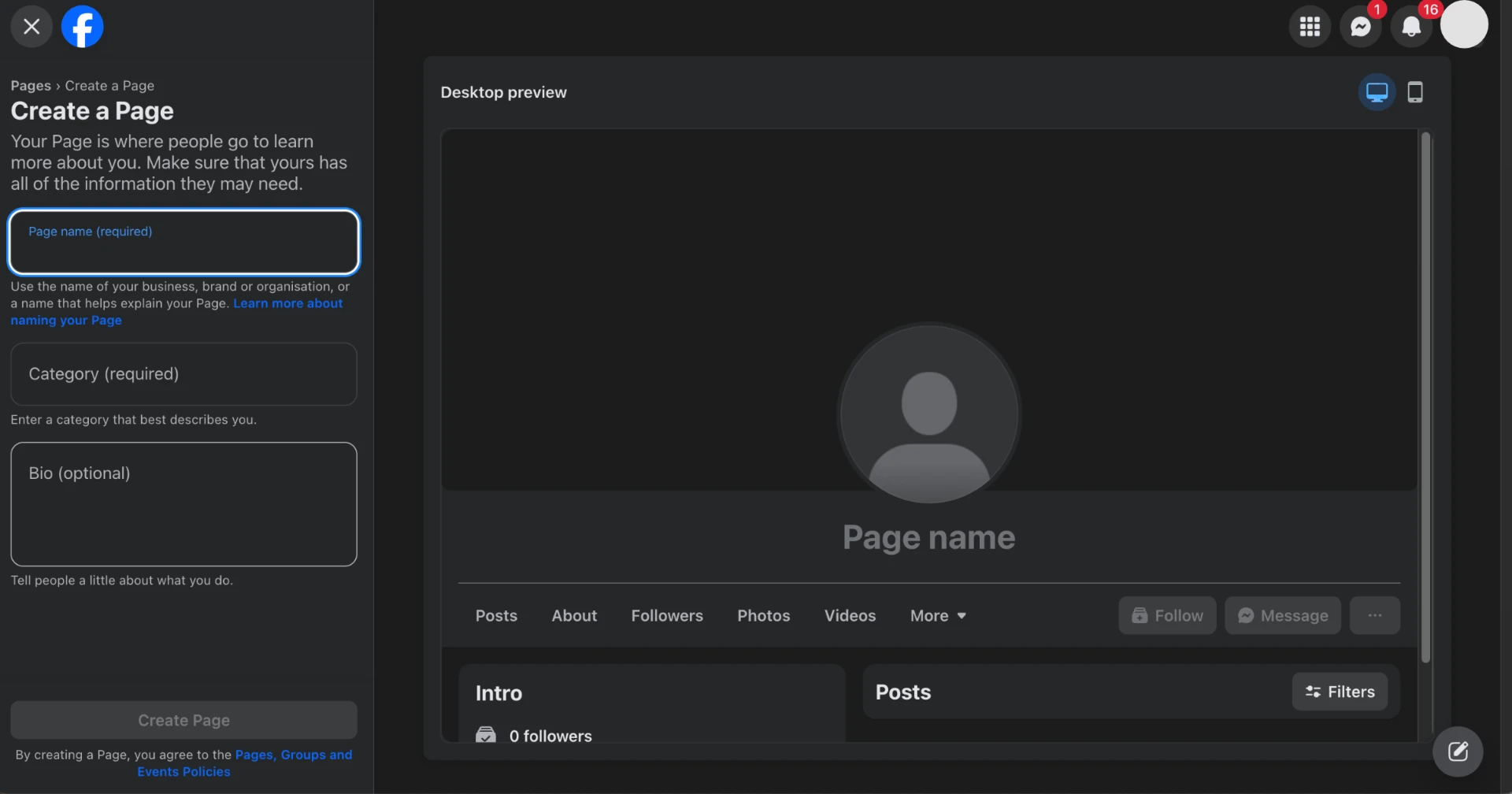
From your Facebook account, go to Pages → Create New Page. You'll need a Page name (your business name, ideally exactly as it appears elsewhere — on your website, your branding, your Google listing) and a Page category.
Step 2: Choose a category and fill in your details
Pick the category that best matches what you actually do — "Local Business," "Retail Company," "Professional Service," and so on. This affects which fields Facebook shows you (address and hours for a local business, booking links for a service) and how you show up in category-based searches.
Fill in:
- Business description (short, plain language — what you do and who it's for)
- Contact details: phone, email, website
- Address and hours, if relevant
- Business category tags
Step 3: Add your profile and cover images
Use your logo as the profile image — it's the small, square image that shows up next to every post and comment, so it needs to be recognizable at a small size. The cover image is wider and more visual; a product photo, a team photo, or your branding in context all work better here than a second logo.
Step 4: Set up your Instagram professional account
If you don't already have a business Instagram account, create one and switch it to a Professional account (Settings → Account type) rather than leaving it as Personal. This unlocks business features — contact buttons, insights/analytics, and the ability to link it to your Facebook Page, which is the next step.
Step 5: Link Instagram to your Facebook Page
In your Facebook Page settings, go to Linked Accounts → Instagram and connect your professional Instagram account. Once linked, you can manage both from Meta Business Suite, cross-post content, and — when you're ready — run ads across both platforms from one place.
This is also the point where, if advertising is part of the plan, it connects directly to setting up a proper ad account rather than a personal one.
Step 6: Assign Page roles
Under Page Settings → Page Roles, add anyone else who needs access — a staff member, a marketer, an agency — and set their role (Admin, Editor, Moderator, or Analyst). This is the same principle as ad account access: the Page belongs to the business, and people are added or removed from it, rather than the business depending on one person's login.
Before you go live
Quick check before you start posting and inviting followers:
- Business name, category, and contact details are all filled in and accurate
- Profile and cover images are uploaded and sized correctly
- Instagram is linked and set to Professional
- At least one other trusted person has Admin or Editor access
Kabula sets up social accounts as part of our social and ads services — correctly structured from day one. Explore our services
FAQ
Do I need a Facebook Page if I already post from my personal profile?
Yes, if you want your business to look and function like a business — a Page shows hours, location, and a direct contact button that a personal profile can't, and it's the only way to run Facebook or Instagram ads properly.
Can I use the same name for my Page as my personal profile?
You can, but it's worth keeping them visually and functionally distinct — use your business name and logo on the Page, not a personal photo, so customers aren't confused about which one they're interacting with.
Does setting up a Business Page cost anything?
No — creating and running a Facebook or Instagram Business Page is free. Costs only come in if and when you choose to run paid ads.
Want this set up correctly without the back-and-forth? Talk to Kabula about your social accounts — we'll have your Page and Instagram live and properly structured.
Ready to build the systems that scale with you?
Kabula equips African businesses with the infrastructure to grow consistently. Pick the services that match where you are now — and let us build the rest.
Explore Our Services